

What to expect
webXash is a browser launcher for Half-Life and Counter-Strike, maintained by x8BitRain. The page offers a choice between demos and importing a game folder or ZIP. Start with a demo if you only want to see how the launcher works; opening the website does not give you the full commercial games.
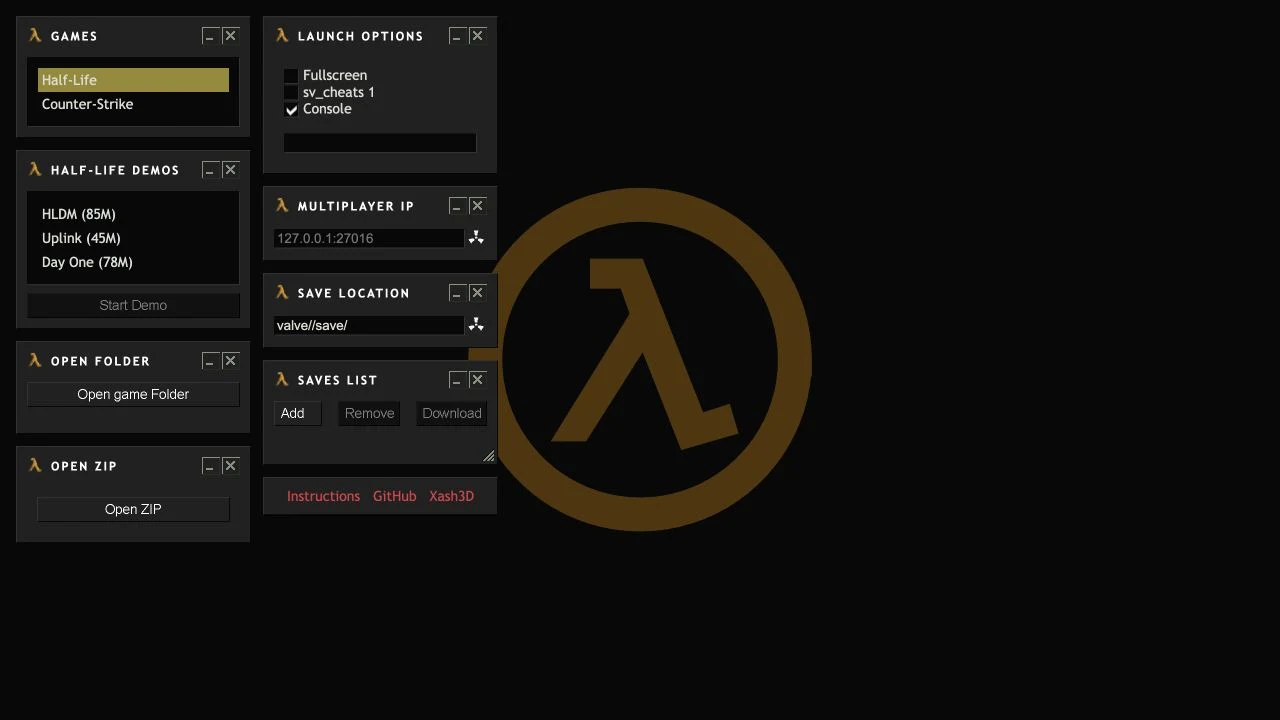
Game and setup options
- Half-Life demo selection
- Folder and ZIP import
- Save-file controls
Getting started
- Open the x8BitRain launcher using the website link.
- Choose a listed demo, or select your own compatible folder or ZIP.
- Read the launch options, then start when the required data is ready.
Choosing between a demo and your own files
The offered demo downloads provide a clearer starting point than importing an unfamiliar game folder. For your own installation, read the project’s folder and archive instructions first. Keep a separate copy of original files and saves; a browser port may have different storage and compatibility behavior from a desktop installation.
Keeping a session
The launcher exposes save-management controls. Back up saves you care about before changing browser profiles or clearing site data; we did not verify a completed game session.
Who it suits
Desktop players interested in classic shooters.
Before you play
Full games require appropriate game data. Use files you are entitled to use; AINavly does not supply them.
Common questions
Is webXash the full Half-Life game?
It is a launcher. Demo choices and full-game imports are separate; the full game needs appropriate data files.
Where is the x8BitRain webXash website?
The project runs at x8bitrain.github.io/webXash/. Its GitHub repository links to the same launcher.
Sources and review scope
Launcher interface and creator documentation checked; no full playthrough.